Summary: This article explains what to do if your CCS account becomes locked out and the available options for restoring access.
For Staff and Students
Overview
If you enter your password incorrectly too many times, your CCS account may become locked out.
Account lockout is a security feature designed to help protect your account from unauthorized access attempts.
- 10 failed sign-in attempts will lock your account.
- The lockout period lasts 5 minutes.
|
Important: If you continue entering an incorrect password, the lockout timer may restart and extend the amount of time before you can sign in again. |
What You May See
If your account has been locked, you may receive an error message similar to:
"The referenced account is currently locked out and may not be logged on to."
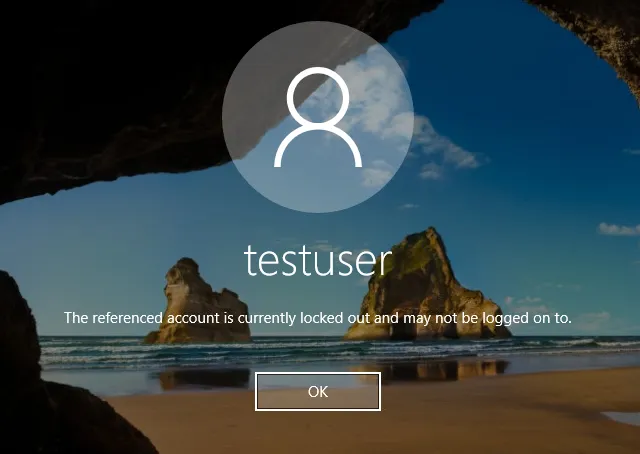
What You Should Do
Follow the steps below to regain access to your account.
|
1
|
Wait for Automatic Unlock
Wait at least 5 minutes before attempting to sign in again.
- Do not continue entering passwords during the lockout period.
- After the lockout period expires, try signing in with the correct password.
|
| |
|
2
|
Open Self-Service Password Reset
If you prefer not to wait, open the Self-Service Password Reset (SSPR)
|
| |
|
3
|
Select the Recovery Option
Choose "I can't access my account" and enter your CCS username.
|
| |
|
4
|
Choose the Unlock Option
Select "I know my password, but still can't sign in".
|
 |
|
5
|
Verify Your Identity
Follow the prompts to verify your identity and complete the account unlock process.
|
| |
|
6
|
Contact the CCS IT Help Desk
If you are still unable to sign in, contact the Help Desk for assistance.
- Phone: 614-365-8425
- Hours: Monday – Friday, 6:30 AM – 5:00 PM
- The Help Desk can assist with account unlocks and password-related issues.
|
| |
|
Tip: Waiting the full 5-minute lockout period before attempting another sign-in is often the quickest way to restore access. |
Why This Happens
Most account lockouts occur because another device or application is still using an old or incorrect password.
- Saved passwords on phones or tablets.
- Email applications running in the background.
- Old passwords stored on laptops or desktops.
- Applications or services using outdated credentials.
|
Even if you know your current password, another device may still be attempting to sign in using an old password and causing repeated lockouts. |
How to Prevent Future Lockouts
- Update your password on all devices.
- Remove saved passwords that are no longer valid.
- Update email applications with your current password.
- Verify that mobile devices are using current credentials.
- Sign out and back into applications after changing your password.
Still Having Issues?
If your account continues to become locked after restoring access:
- Document when the lockouts occur.
- Note the device being used when the issue happens.
- Identify the location where the lockout occurs.
- Contact the CCS IT Help Desk for further investigation.
|
Providing the date, time, device, and location of recurring lockouts can help IT staff more quickly identify the source of the problem. |